
Microsoft Whiteboard App Retirement
Depending on whether you have an organizational or personal Microsoft account will determine what to expect in the long term, but the dates are very important.
September 25 – this is the last date that you can create or edit Whiteboards using the Desktop App – it isn’t clear whether that means exporting will no longer be possible after this date if the data is stored in Azure.
October 16 – this is the date after which the Whiteboard files stored in Azure will be deleted.
An important difference between the Desktop App and Cloud Whiteboard is that the Desktop App allows for a PDF export and the Cloud Whiteboard does not. Both allow for exports of images and zipped html files.
https://support.microsoft.com/en-us/whiteboard/retirement-standalone-microsoft-whiteboard-apps
The Windows Whiteboard Desktop App will no longer work after October 16.
Action Plan:
Log into OneDrive and navigate to whiteboard.cloud.microsoft and verify that the files are accessible.
Click on 
Which will open the link https://[YourUserName]-my.sharepoint.com/my?id=whiteboards
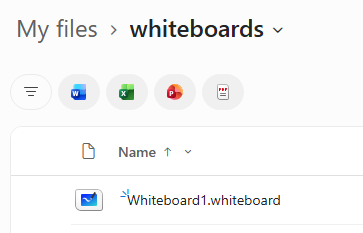
Simply opening the Whiteboards would trigger a migration process if they were previously stored in Azure. My recommendation is to still export your files as suggested in the Personal OneDrive section below for future retention.
The Windows Whiteboard Desktop App will no longer work after October 16
However, navigating to whiteboard.cloud.microsoft will not trigger a migration process for Personal customers. It is still useful for exporting the Whiteboards to an html format.
Thus, immediately open each Whiteboard by clicking on the tile name in the Desktop App or in the Cloud:
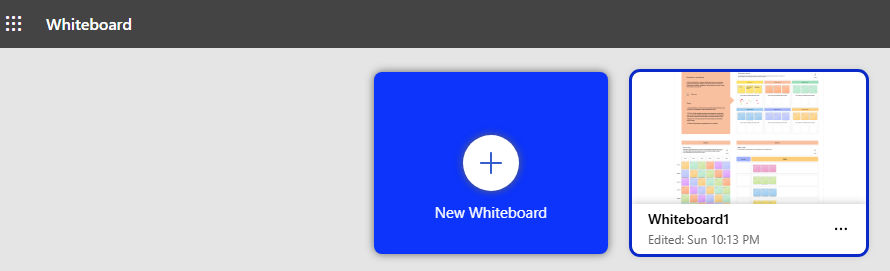
Click on Export from the Gear Settings icon:
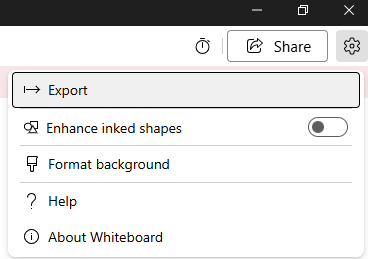
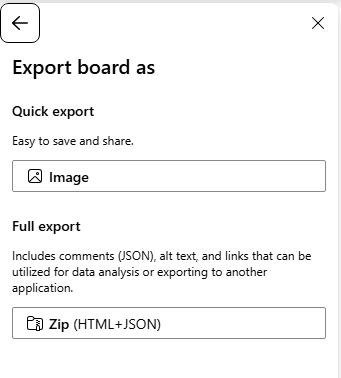
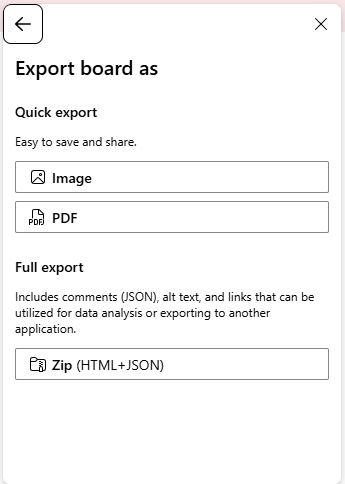
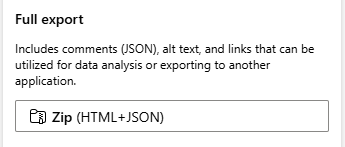
First, perform a full export of the HTML and JSON zip file and save the package in OneDrive and offline. Then, export the images and PDF.
My recommendation for Personal Users is to then consider switching to Excalidraw or OpenBoard. My conversion scripts are still being tested, but should be available in the near future. The important step is to back up your data so that it will be available for conversion to a different platform once the Personal Whiteboards are no longer available.


